
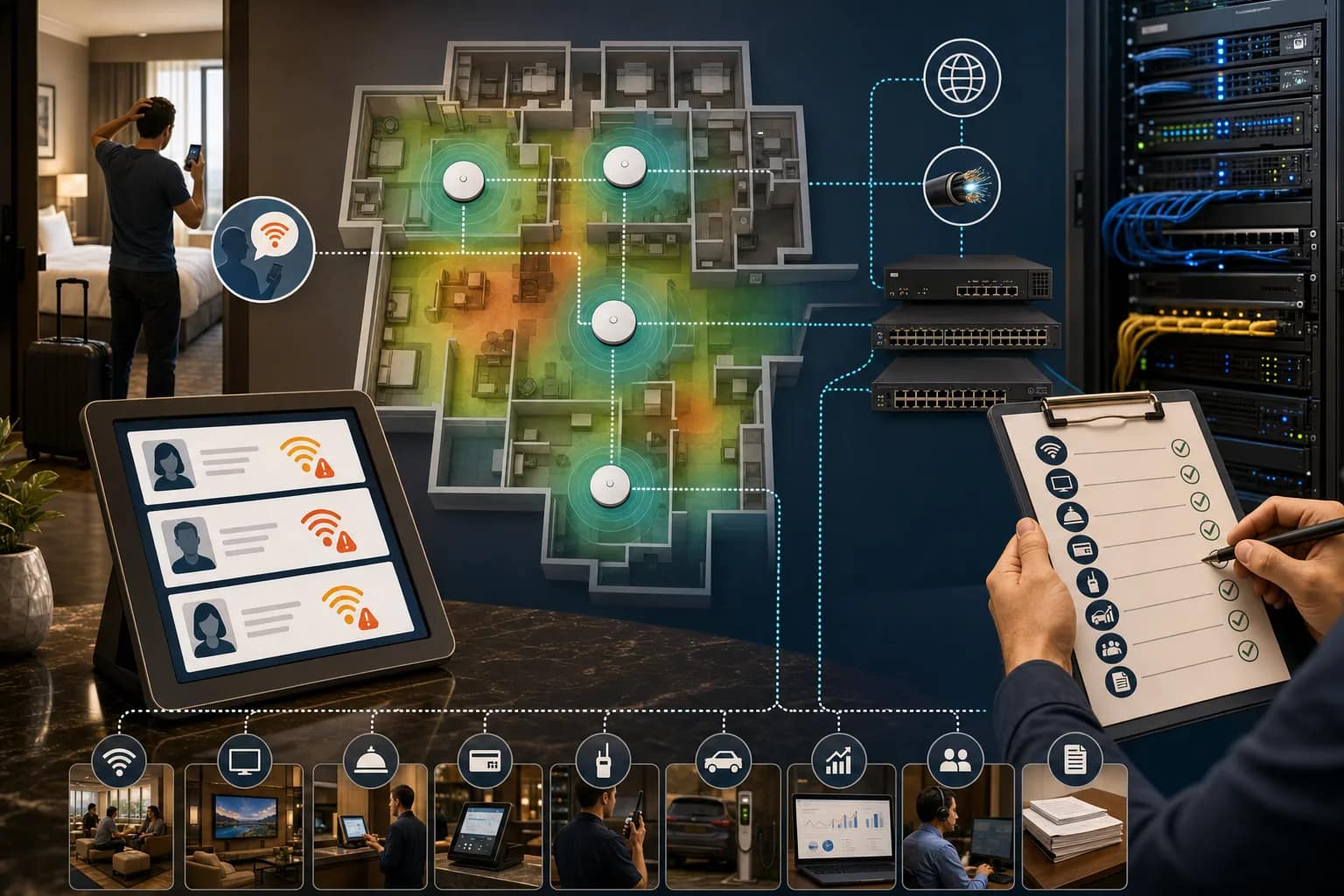
Guests rarely describe a hotel Wi-Fi problem in technical language.
They say the internet is slow. They say the login page will not load. They say their work call dropped. They say the TV will not cast. They say the room is not worth the rate if the connection does not work.
For a hotel operator, those complaints are useful because they are symptoms. But they are not a diagnosis.
Bad Wi-Fi can come from coverage, capacity, access-point placement, old cabling, ISP performance, a managed router issue, captive portal behavior, VLAN design, a switch problem, power, poor documentation, or an unclear support path. The guest sees one problem. The property may have five possible owners behind it.
That is why hotel Wi-Fi reliability should be reviewed as an operations issue, not just a bandwidth issue.
Start with the guest language
The first step is to translate complaints into patterns.
If guests say the Wi-Fi is “slow,” that can mean bandwidth is constrained, signal strength is weak, the access point is overloaded, traffic shaping is too aggressive, or the upstream circuit is underperforming. If they say they “cannot connect,” the problem may be captive portal behavior, authentication, device compatibility, DHCP, DNS, or a room/floor coverage gap. If they say the connection “keeps dropping,” the issue may be roaming, interference, power, old access points, or an unstable uplink.
The front desk should not have to diagnose all of that. But the property should be able to collect the right clues:
- Room number, floor, meeting room, lobby, pool, fitness area, or back-of-house location.
- Device type, such as laptop, phone, tablet, streaming device, or guest casting.
- Time of day and occupancy context.
- Exact symptom: slow, cannot connect, keeps dropping, login page issue, VPN issue, video-call issue, or streaming issue.
- Whether the issue is one guest, one room, one floor, one event space, or the whole property.
That information turns a vague complaint into a serviceable support ticket.
Reliability is not the same as speed
Speed tests are easy to understand, but they do not tell the whole story.
A hotel can show a good speed test in the lobby and still have weak guest experience in corner rooms, meeting rooms, elevators, outdoor areas, or high-density public spaces. A property can have a strong internet circuit and still struggle if access points are poorly placed, switches are undocumented, roaming is weak, or the support team cannot separate ISP trouble from wireless trouble.
For owners and management companies, reliability means the property can answer practical questions:
- Can a guest join a video call from the room without front desk intervention?
- Can a conference group use meeting-room Wi-Fi without overwhelming nearby areas?
- Can streaming, casting, staff devices, PMS/POS dependencies, and guest traffic coexist without guesswork?
- Can the team identify whether a complaint is coverage, capacity, login, device, ISP, or support ownership?
- Can a vendor troubleshoot quickly because maps, labels, circuits, and support contacts are current?
The best hotel Wi-Fi systems are boring. Guests do not notice them because they work.
Check the physical layer before blaming the provider
Wi-Fi still depends on physical infrastructure.
Access points need the right cabling. Switches need power, cooling, UPS protection, uplinks, and labeling. MDF and IDF rooms need enough space for technicians to work. Patch panels need to match usable documentation. Fiber handoffs and carrier equipment need clear ownership.
On real hotel projects, the Wi-Fi conversation quickly touches other scopes: low-voltage cabling, WAP placement, network closets, fiber options, PBX and phone service, Free-to-Guest TV, connected-room systems, PMS integrations, and vendor coordination. That is the reality of hotel technology. Wi-Fi is not isolated from the rest of the stack.
A practical walk-through should include:
- Current access-point map by floor and public area.
- Switch and patch-panel labels that match room numbers, WAPs, cameras, phones, TVs, and POS locations.
- Fiber or DIA circuit inventory, including provider, speed, SLA terms, static IPs, handoff, and support number.
- UPS, power, rack, cooling, and cable-management conditions in MDF and IDF rooms.
- Closeout documents, test results, as-builts, warranty path, and support escalation contacts.
If the closet is hard to understand, Wi-Fi support will be slower than it needs to be.
Look for peak-use failures
Many Wi-Fi problems do not show up at 10 a.m. on a quiet Tuesday.
They show up when the property is full, a youth sports group checks in, a conference starts, guests return from dinner, or every room is streaming at the same time. They also show up when staff tools, guest devices, TVs, payment terminals, POS systems, and cloud platforms are all depending on the same foundation.
That is why a reliability review should compare normal conditions with peak conditions. Ask:
- What happens on sold-out nights?
- What happens in meeting rooms during events?
- What happens when guest casting or streaming usage spikes?
- What happens when PMS, POS, payments, or staff devices also need stable access?
- What happens when the primary circuit has an issue?
If the property only tests during light use, it may miss the moments that create the complaints.
Separate the support owners
Use a hotel network monitoring checklist to connect guest symptoms with device, circuit, authentication, capacity, and escalation evidence.
The most expensive Wi-Fi problem is often the one nobody owns clearly.
A guest complaint can sit at the intersection of the HSIA vendor, ISP, low-voltage contractor, managed router provider, brand help desk, PMS/POS provider, TV/casting vendor, and local property team. If the front desk does not know who to call, the first hour of troubleshooting can become a vendor loop.
Every property should have a simple support ownership map:
- Who owns guest Wi-Fi support?
- Who owns the ISP circuit and carrier escalation?
- Who owns the managed router, firewall, or SD-WAN device?
- Who owns switches and access points?
- Who owns cabling, labels, and WAP location documentation?
- Who owns guest casting, connected-room, IPTV, or FTG TV dependencies?
- Who owns PMS/POS/payment network dependencies?
- Who owns the final documentation after a project closes?
This does not need to be complicated. A one-page escalation path is better than a shared folder nobody opens during an outage.
A hotel Wi-Fi reliability checklist
Use the guest Wi-Fi acceptance test to turn the review into repeatable room, roaming, performance, security, and support evidence.
Use this checklist before budget season, a renovation, a brand inspection, a vendor change, or a recurring wave of guest complaints.
Guest complaint review
- Pull the last 30 to 60 days of reviews, front desk notes, surveys, and internal messages.
- Group complaints by location, symptom, time, and occupancy condition.
- Separate “slow,” “cannot connect,” “drops,” “login problem,” “VPN problem,” and “streaming or casting problem.”
Coverage and capacity review
- Review WAP placement by room, floor, public space, meeting space, and outdoor area.
- Identify high-density zones that behave differently from guestrooms.
- Compare ordinary testing with peak occupancy and group/event conditions.
Network foundation review
- Confirm MDF and IDF labels, port maps, switch maps, and AP maps are current.
- Check UPS, cooling, power, cable management, and abandoned equipment.
- Verify cabling test results and as-builts are stored where support teams can find them.
Circuit and handoff review
- Confirm ISP, circuit speed, SLA terms, account number, static IPs, and escalation contact.
- Confirm whether backup, failover, or cellular options exist and who owns them.
- Document which systems depend on that circuit beyond guest Wi-Fi.
Support ownership review
- Write the first-call path for guest Wi-Fi complaints.
- Write the escalation path for ISP, HSIA, router/firewall, switch/AP, cabling, and brand support.
- Make sure the front desk, GM, engineer, and management company know where the current version lives.
What JET looks for
JET Hotel Solutions helps hotel teams review the technology foundation behind the guest experience: network access and DIA, guest Wi-Fi, low-voltage cabling, PBX and phones, Free-to-Guest TV and IPTV, CCTV/security, staff safety, EV charging dependencies, vendor coordination, monitoring, and support paths.
For Wi-Fi reliability, the work is not only choosing equipment. It is making sure the property has the right circuit, the right cabling, the right access-point plan, the right support ownership, and the right documentation so problems can be isolated quickly.
If guests keep calling it bad Wi-Fi, the useful next step is not guessing. It is mapping the complaint to the infrastructure and support path behind it.
Need a practical Wi-Fi reliability review before budget season, renovation work, or a vendor change? JET can help review the property stack and identify what should be documented, tested, repaired, or upgraded first.
Related reading:
- Midyear Hotel Technology Health Check: Wi-Fi, Phones, Cameras, and the Network Behind Them
- The One-Hour Hotel Technology Audit: Where Should Owners Start?
- Labels Save Hours: The Hotel Network Documentation Checklist
- Before Final Payment: The Hotel Technology Handoff Checklist
Sources and further reading: HotelTechReport 2026 State of Hotel Guest Technology Report, Spectrum Enterprise hospitality technology trends for 2026, ANTlabs on guest Wi-Fi quality and reviews, The Network Installers hospitality networking guide, and public Reddit hotel Wi-Fi discussion.