
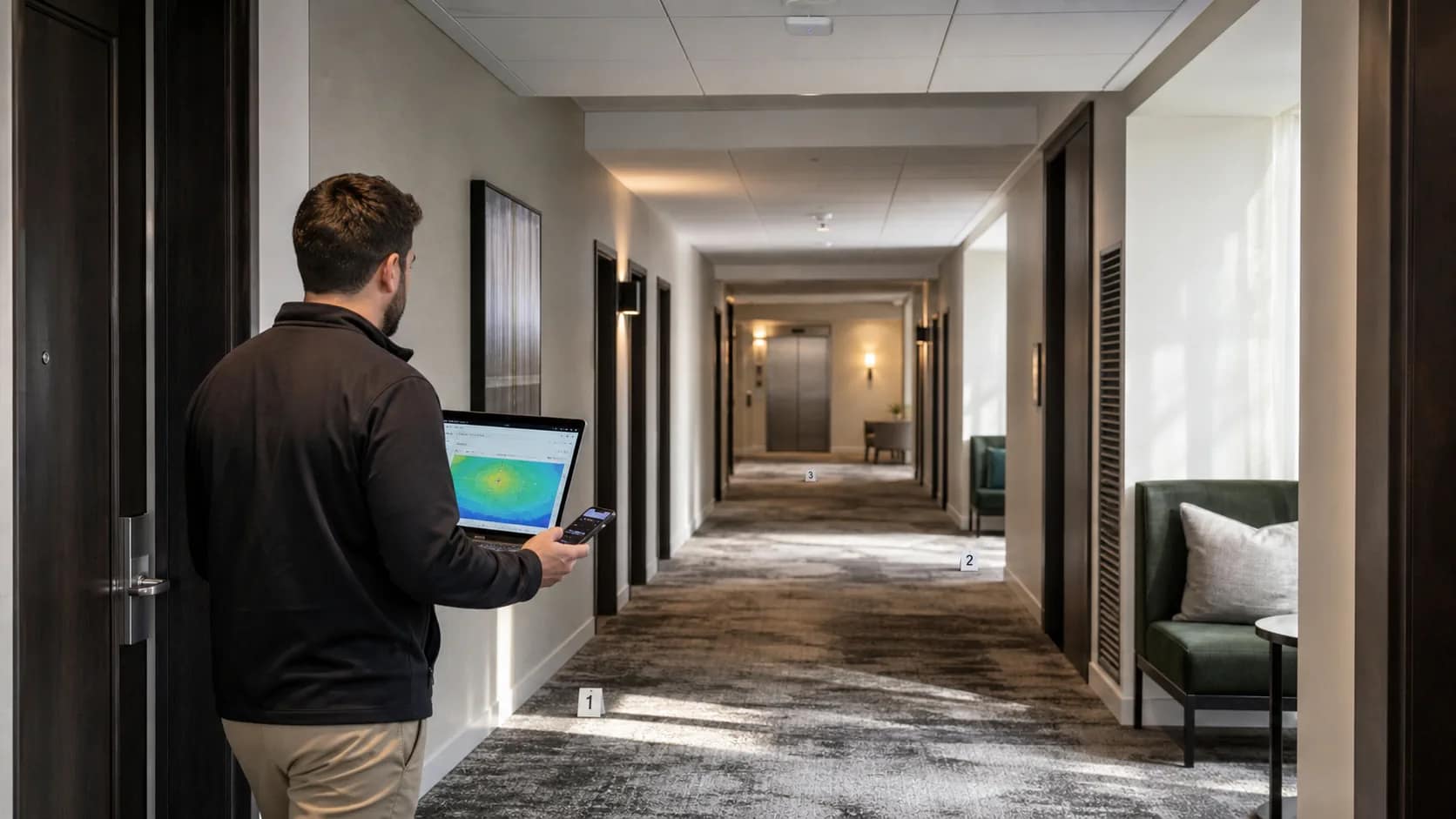
Quick answer: A hotel guest Wi-Fi acceptance test should prove the experience in real rooms and public spaces, not just show that every access point is online. Before signoff, verify coverage, connection, roaming, performance, capacity, guest isolation, dependent applications, monitoring, support ownership, and a documented exception-and-retest process.
A green dashboard and one fast lobby speed test are useful checks. Neither one proves that a guest can join the network in room 624, walk to the elevator on a video call, cast to the correct television, reconnect after sleep, or reach support when the problem sits between the Wi-Fi system and the internet circuit.
That is why acceptance should start with the guest journey and work backward through the wireless, switching, gateway, and WAN layers. The owner needs evidence that the installed system works as a service, plus records that make the next problem faster to isolate.
Guest Wi-Fi is ready when the hotel can prove the experience, identify the owner of each layer, and repeat the test after a change.
Use these ten checks before accepting a new implementation, renovation, or network takeover.
1. Approve the test plan before the acceptance walk
Define what will be tested, where it will be tested, which devices will be used, what result is acceptable, who witnesses the test, and how failures will be recorded. The plan should cover guest rooms, suites, corridors, elevators or elevator lobbies, meeting spaces, restaurants, fitness areas, pools or terraces, and any back-of-house areas included in the project.
Do not let a vendor choose only the easiest locations after installation. Select representative rooms on every floor and include known hard conditions: end rooms, rooms beside stairs or service spaces, accessible-room layouts, additions, thick walls, outdoor transitions, and spaces that were changed after the original design.
Separate contractual acceptance thresholds from troubleshooting thresholds. A dashboard may label a client as healthy using its own default values, while the hotel or brand may require a different service level. The accepted criteria should come from the approved design, current brand standard, and project scope.
Owner record: signed test matrix with locations, devices, applications, thresholds, witnesses, and retest rules.
2. Validate coverage in the finished building
Walk-test the installed network after doors, mirrors, casework, wall finishes, televisions, and other room contents are in place. Construction materials and final room conditions affect radio behavior. A predictive design or preconstruction survey is not a substitute for post-installation validation.
Measure the agreed signal and signal-to-noise criteria at the places where guests actually use devices: beds, desks, seating areas, meeting-room tables, pool seating, and arrival areas. Record the serving access point and channel as well as the result. This makes it possible to distinguish a weak cell from an upstream service problem later.
The validation should also identify unintended coverage gaps, excessive overlap, interference, and access points that were installed in a different location or orientation than the approved plan.
Owner record: dated post-deployment survey or heat map tied to the final floor plan and AP inventory.
3. Test the complete guest connection journey
Start with a device that has never joined the property network. Confirm that the correct SSID is visible, the device receives an address, DNS works, the portal appears, the guest can authenticate using the intended method, and normal browsing begins without a confusing loop.
Test every promised access path: basic guest access, loyalty or premium access, meeting or event access, and any staff-assisted workflow. Include an incorrect room number, expired access, a returning device, a device waking from sleep, and a guest who needs to reconnect after changing rooms.
Use a current mix of Apple, Android, Windows, and other devices representative of the property’s guests. A successful test on the installer’s laptop proves only that one client worked once.
Owner record: connection test results by device type and access method, with portal screenshots and open exceptions.
4. Prove roaming across real guest paths
Walk from a room into the corridor, to the elevator lobby, into the main public space, and through any meeting or outdoor transition while a voice or video session is active. Confirm that the client moves between access points without an unacceptable interruption or repeatedly clinging to a distant AP.
Roaming behavior depends partly on the client, so test more than one device. Cisco Meraki’s current Wireless Health documentation separates connection, roaming, latency, packet loss, and signal-quality evidence. That is a useful reminder that an “online” AP does not answer every guest-experience question.
If the management platform provides roaming analytics, retain the results with the physical walk-test notes. Look for the same floor, AP pair, or device type appearing repeatedly in poor or suboptimal roams.
Owner record: defined roaming routes, device list, interruption criteria, and observed AP transitions.
5. Measure performance without confusing Wi-Fi and internet
Our hotel Wi-Fi generation comparison separates local radio capability from switch uplinks and contracted internet bandwidth.
Record throughput, latency, jitter, packet loss, DNS response, and application behavior at representative locations and times. A speed-test number alone can hide an unstable wireless link, a slow login path, packet loss, or a congested WAN circuit.
Test in stages so failures can be located:
- Client to the local network or first routed hop.
- Client through the gateway and DNS path.
- Client to approved internet test destinations.
- Real guest applications such as browsing, video calling, and streaming.
If loss appears, repeat the test closer to the wired network. Cisco’s packet-loss troubleshooting guidance recommends progressively testing toward the Layer 3 path to separate the wireless, switching, and ISP portions. The handoff should make the same ownership boundaries visible.
Owner record: location-based results with test time, device, AP, SSID, circuit, and the path used.
6. Test capacity, not only an empty property
A pre-opening test can look excellent because only a few devices are connected. Compare the installed capacity with the approved occupancy and device assumptions for guest rooms, public spaces, and meeting areas. Confirm that switch uplinks, PoE budgets, gateways, licenses, and internet bandwidth match the AP count and intended service.
Where practical, run a controlled load test or use platform data from a representative occupied period. Review channel utilization, client distribution, connection failures, latency, and packet loss while traffic is present. Meeting and event spaces deserve their own scenario because device density and usage can change quickly.
Document what the capacity test did and did not simulate. A synthetic result should not be presented as proof of a full-house operating condition unless it genuinely represents that load.
Owner record: approved capacity model, load-test method, results, and assumptions that operations should monitor after opening.
7. Verify guest isolation and network boundaries
Confirm that one guest device cannot discover or connect to another guest’s device unless an explicitly designed service requires it. Verify that the guest network cannot reach property-management, point-of-sale, staff, building, camera, voice, or other protected networks. Test the expected VLAN, DHCP, DNS, firewall, and gateway policies instead of accepting a configuration screenshot alone.
NIST’s WLAN security guidance treats design, implementation, evaluation, maintenance, and monitoring as one lifecycle. Acceptance should therefore include both the initial boundary tests and the party responsible for watching those controls after turnover.
If the property uses rogue-device detection or containment features, verify the approved policy and legal configuration. The FCC has specifically warned hotels and other businesses that intentionally interfering with lawful personal Wi-Fi hotspots is prohibited.
Owner record: approved network-boundary diagram, test evidence, administrator list, and monitoring owner.
8. Test every guest-facing service that depends on Wi-Fi
When the Wi-Fi acceptance test includes casting, pair it with the hotel guest room TV readiness checklist so room mapping, privacy reset, and support ownership are accepted together.
Guest Wi-Fi may carry or support casting, connected-room functions, mobile keys, messaging, staff applications, digital signage, or event services. List every included dependency and test its real workflow, not just basic internet access.
For casting, pair a real guest device to the correct room television, play content, disconnect, simulate checkout, and confirm that the next guest cannot access the prior session. The HTNG in-room entertainment requirements note that AP location, spectrum conditions, and hotel internet capacity can all affect a casting solution.
Also test what happens when the internet circuit is unavailable. Local property systems should behave according to the approved design, and the support team should be able to tell whether the incident belongs to the Wi-Fi platform, wired network, application, or carrier.
Owner record: application-by-application acceptance script with integration owner, expected behavior, and outage behavior.
9. Confirm monitoring, alerts, and support escalation
Use the hotel network monitoring diagnosis guide to distinguish radio, address-assignment, switching and upstream symptoms after signoff.
Trigger or simulate an access-point outage, switch-port problem, WAN degradation, authentication failure, and high-client condition where the platform allows it. Confirm who receives each alert, how quickly it appears, what information is included, and when the issue escalates.
The property should have one support record containing the hotel name and identifier, network name, circuit and account numbers, system IDs, support numbers, service hours, SLA, approved callers, remote-access process, escalation contacts, and responsibility boundary between the Wi-Fi provider, low-voltage contractor, network team, application vendor, and ISP.
Validate administrator access before the project team leaves. A cloud dashboard that nobody at the owner, management company, or support provider can reach is not an operating handoff.
Owner record: tested alert matrix, support sheet, administrator-access list, and escalation tree.
10. Close exceptions with evidence, not promises
Every failed location or workflow should become a numbered exception with the observed result, required threshold, likely owner, corrective action, due date, and retest evidence. Keep open items visible; do not bury them in email threads or accept a verbal promise that the dashboard will “optimize itself” later.
The final package should include the approved design, as-built AP locations, AP and switch inventory, serial numbers and licenses, network diagram, VLAN and SSID summary, configuration backup, post-deployment survey, test results, portal settings, monitoring and support contacts, warranty information, training record, and closed-exception log.
For a network takeover, record the same information before ownership changes. Confirm who holds licenses, dashboard organizations, credentials, configuration backups, support contracts, and historical data. A technically healthy system can still become unsupported during a poorly documented transfer.
Owner record: signed acceptance package with every exception closed or formally accepted by the owner.
A practical owner signoff question
Before approving final payment, ask:
Can we prove the guest experience in the difficult spaces, locate a fault across every layer, and reach the right owner without the project team in the room?
If the answer depends on one technician’s memory, the handoff is not complete.
JET Hotel Solutions helps hotel owners coordinate guest Wi-Fi, internet access, low-voltage infrastructure, guest-facing systems, vendor responsibilities, and project acceptance. The goal is not another dashboard. It is a supportable operating system with the evidence needed to accept it. Review JET’s guest-facing technology services and project delivery process.