
Hotel guest wifi systems are judged in the least forgiving moments: a late arrival trying to finish work, a family streaming in two rooms, a meeting planner checking speeds before an event, or a front desk agent trying to explain why the login page is not loading. When Wi-Fi works, guests barely notice it. When it fails, the issue becomes a service complaint, a review risk, and a support scramble.
That is why hotel teams should treat guest Wi-Fi as an operating system, not just a collection of access points. The right checklist helps ownership and property leadership confirm what is working, what is only assumed to be working, and who owns the next action when the guest experience starts to slip.
Start with the guest experience, not the network diagram
A network map matters, but guests do not experience VLANs, switches, and controller settings. They experience whether the signal reaches their room, whether the login page loads quickly, whether video calls stay stable, and whether the front desk can give a clear answer when something fails. A useful review starts with the places guests notice first: guestrooms, lobby seating, meeting rooms, elevators, breakfast areas, parking-adjacent spaces, and outdoor amenities.
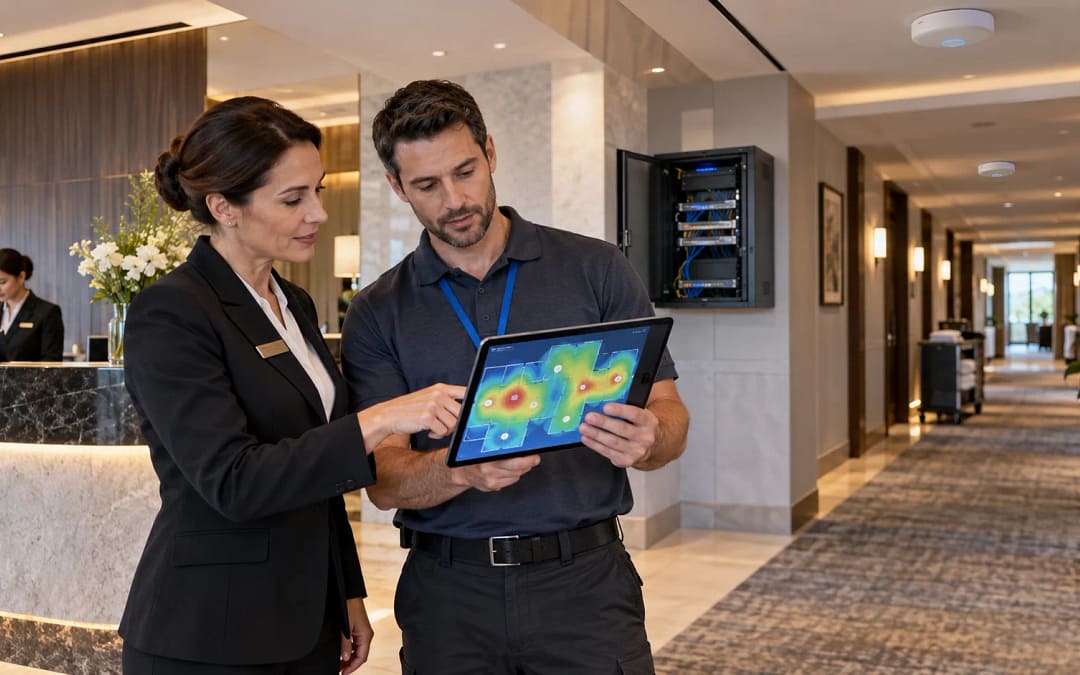
Walk the property the way a guest would. Test connection speed and stability from several room types, not only from the corridor or the nearest access point. If complaints are clustered around certain floors, room stacks, or corners of the building, document that pattern before changing hardware. A weak guest experience may come from coverage gaps, interference, overloaded access points, captive portal friction, ISP instability, or support handoffs that take too long.
For operators who need help turning that field evidence into a practical improvement plan, JET’s guest Wi-Fi solutions page explains how hotel Wi-Fi projects can be evaluated around coverage, guest expectations, and property operations.
Separate coverage, capacity, and login problems
Guest complaints often sound the same: “the Wi-Fi is bad.” The fix depends on what kind of bad it is. Coverage issues usually appear in repeat locations. Capacity issues usually appear during high-occupancy windows, events, or evening streaming peaks. Login issues may show up at check-in, after device sleep, or when a guest moves between areas and gets stuck behind a portal session.
The checklist should force the team to identify the category before escalating. For coverage, record where the signal is weak and which rooms or public spaces are affected. For capacity, compare complaint timing with occupancy, group business, meeting room usage, and ISP bandwidth utilization. For login, test multiple device types and browsers, including phones, tablets, and laptops. The goal is not to diagnose every packet-level detail in the first pass. The goal is to give vendors and support teams clean evidence instead of vague frustration.
Security and separation still matter even when the immediate complaint is speed. NIST’s wireless security guidance emphasizes that wireless networks need documented controls and configuration practices appropriate to their risk profile. Hotel teams do not need to turn a guest-facing checklist into a security audit, but they should confirm that guest traffic is separated from business systems and that ownership of wireless settings is clear. See NIST SP 800-153 wireless network guidance for the broader control mindset behind secure wireless operations.
Confirm monitoring before guests become the alert system
If the first alert comes from TripAdvisor, the front desk, or an angry group organizer, the process is already late. Hotel guest Wi-Fi systems should have basic monitoring that tells the team when service is degraded, not just when a device is completely offline. At minimum, ownership should know who watches access point status, ISP health, controller alerts, captive portal behavior, and recurring ticket patterns.
The strongest monitoring plans are specific. “Vendor monitors the network” is not enough if nobody at the property knows what triggers an alert, who receives it, or what evidence is reviewed before escalation. The monitoring review should define alert recipients, response expectations, screenshots or logs to collect, and the point at which the issue moves from property troubleshooting to vendor support.
JET’s hotel technology monitoring checklist is a useful companion because Wi-Fi rarely fails in isolation. Operators should connect Wi-Fi alerts with broader technology monitoring so guest-impacting systems are reviewed together instead of as disconnected tickets.
Make the front desk part of the process
The front desk is often the first team to hear that Wi-Fi is not working, but they are rarely given enough structure to capture useful evidence. A practical checklist gives agents a short script: room number or area, device type, time of issue, whether the login page loaded, whether other websites worked, and whether the problem followed the guest to another location. That information can be collected quickly without turning the desk into an IT department.
Engineering and management should also know when to stop improvising. Rebooting equipment, changing passwords, or giving guests informal workarounds may help in the moment, but undocumented fixes make root-cause review harder. The checklist should distinguish a temporary guest recovery step from a permanent resolution. If the same workaround appears more than once, it belongs in the next operating review.
Use a closeout standard before calling the issue fixed
A Wi-Fi issue is not closed simply because the latest complaint stopped. Before marking the issue resolved, the team should verify the affected location, repeat the guest journey, confirm the login path, check monitoring status, and record what changed. If a vendor adjusted controller settings, replaced hardware, changed bandwidth rules, or reset a portal, those details should be captured in plain language for the next shift and the next review.
Closeout should also include ownership. Who confirms the guest-facing result? Who updates the property notes? Who watches the same area over the next few days? Who tells leadership whether the issue was isolated or part of a larger pattern? Without that ownership, hotel guest Wi-Fi systems drift back into reactive support, and the next complaint starts the same conversation again.
Turn the checklist into a property rhythm
The best time to review Wi-Fi is not only after a bad review. Hotels should run a light review before high-occupancy periods, group arrivals, renovation closeouts, and major service changes. A deeper review belongs after repeated complaints, ISP changes, equipment replacement, or ownership transitions. This rhythm keeps the conversation practical: what guests experience, what the data shows, what support owns, and what leadership should decide next.
If your property needs a clearer view of coverage, login friction, monitoring ownership, or vendor escalation paths, schedule a guest Wi-Fi readiness review with JET. A structured review can help separate assumptions from evidence and give the team a cleaner path to a guest-ready fix.