
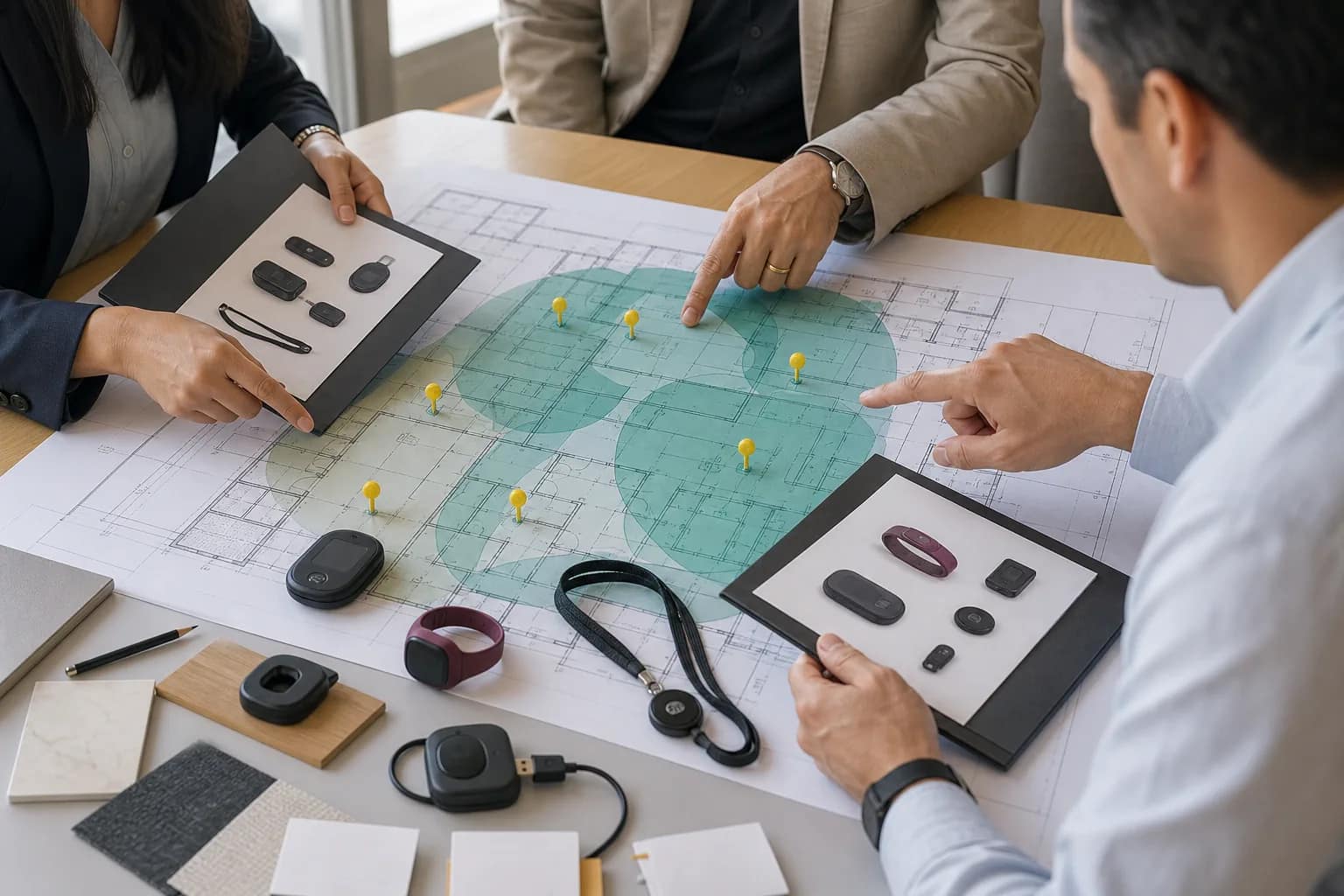
Quick answer: Hotel panic button systems should be compared only after every vendor is pricing the same coverage areas, location standard, peak-shift device count, response workflow, testing scope, and long-term support model. A low device price can hide missing location infrastructure, fewer protected employees, an untested escalation path, or higher recurring and replacement costs.
Hotel staff alert proposals often arrive in different shapes. One may be a dedicated wearable safety device. Another may combine staff communications and emergency alerts. One quote may include room-level location throughout the property, while another assumes a smaller coverage area or relies on existing Wi-Fi. Comparing the totals before normalizing those assumptions is not a fair product comparison.
The better approach is to build an owner-side comparison matrix before selecting a vendor or scheduling a product demo. That matrix should describe the outcome the hotel needs, the evidence each vendor must provide, and the operating responsibilities that remain after installation.
Do not compare two panic button prices until the hotel can prove that both proposals describe the same safety system.
Start with the hotel’s requirement, not a device model
The 2024 HTNG Staff Alert Device Buyer’s Guide gives hotel buyers questions covering location, user devices, deployment, communications, integrations, privacy, training, testing, maintenance, and support. It is useful because it treats a staff alert solution as an operating system rather than a box worn on a uniform.
Before requesting prices, write a short property requirement that answers four questions:
- Which employees or third-party workers must carry a device?
- Which guest, public, and back-of-house areas require location coverage?
- What must happen from activation through final incident closure?
- Which brand standards, local requirements, and owner policies apply?
Requirements vary by hotel, brand, and jurisdiction. Marriott’s public associate alert device guidance, for example, names specific protected roles, coverage areas, location expectations, and hotel responsibilities for inventory, maintenance, testing, training, and response. That page is not a universal specification, but it illustrates why a buyer must confirm the current rules for the specific property instead of accepting a generic vendor package.
1. Normalize the coverage map and location result
Ask every vendor to mark the same floor plans. Include guest rooms, guest-room corridors and landings, housekeeping closets, public restrooms, treatment rooms, meeting spaces, parking or outdoor areas, and back-of-house locations when they are part of the requirement.
Then define what the responder must see after an activation. “Location enabled” can mean GPS outdoors, floor-level location, a broad zone, a room number, or a combination of methods. Ask how the system derives location, what physical or network infrastructure it needs, how quickly the location appears, and what happens when one location source is unavailable.
A site survey matters because the answer depends on the building. Floor count, additions, wall construction, elevator cores, service areas, outdoor transitions, existing Wi-Fi, and available power can change both design and price. For renovations, do not assume that an old drawing accurately represents the finished property.
Comparison record: one annotated coverage plan, one required location outcome, and a vendor-by-vendor list of included infrastructure and exclusions.
2. Size devices from the peak shift, not the room count
The correct device quantity is an operating question. Build a peak-shift roster by role and include employees working alone or in enclosed guest areas, supervisors and responders, third-party staff covered by the policy, spare units, charging rotation, damaged-device replacements, and any shared-device handoff process.
Also confirm whether each device is assigned to a named person, a role, a department, or a shift. The alert must reach responders with enough identity and location information to act. A proposal with fewer devices may simply protect fewer people or omit operational spares.
If a device also replaces a radio or supports hotel-wide communications, model that broader user population separately. The minimum quantity needed for a staff safety requirement may not be the quantity that produces the best communications workflow.
Comparison record: peak-shift roster, protected roles, responder roles, spare policy, charging plan, and total active and spare devices.
3. Compare dedicated safety devices and multipurpose communications devices
A dedicated wearable may be simple, discreet, and focused on one job. A multipurpose device may add voice, group communications, translation, task coordination, or mass notifications. Neither architecture is automatically better for every property.
Compare how the employee wears and activates the device under stress, whether activation is silent or audible, whether two-way communication is available, whether daily communications make employees more likely to carry and charge it, and whether added functions introduce training or subscription costs.
Run a hands-on trial with the people who will wear the devices. Housekeeping, engineering, front desk, security, and management may judge size, controls, audio, durability, charging, and language support differently. A feature list cannot replace this operational fit check.
Comparison record: agreed use cases, employee trial notes, activation method, communications functions, accessibility considerations, and required accessories.
4. Draw the complete trigger-to-response workflow
A successful button press is only the first step. Draw what happens next:
- The employee activates the device.
- The system identifies the employee and location.
- Primary responders receive and acknowledge the alert.
- The alert escalates if nobody responds.
- Responders coordinate on-property or external help.
- The hotel records, closes, and reviews the incident.
For each step, name the responsible role, device or application used, expected timing, backup path, and evidence retained. Include nights, weekends, thin staffing, shift changes, and situations when the primary responder is off property.
Ask vendors to demonstrate the workflow using the hotel’s proposed roles and coverage map. A polished product demonstration using ideal conditions does not prove the hotel’s actual response plan.
Comparison record: alert-routing diagram, responder roster, acknowledgement and escalation rules, external-contact policy, and incident-closeout process.
5. Expose the network and failure assumptions
Staff alert systems can use combinations of Wi-Fi, cellular, Bluetooth beacons, gateways, cloud services, mobile applications, or other location infrastructure. Ask each provider to identify every dependency and the expected behavior when a component is degraded or unavailable.
Important scenarios include an internet outage, weak cellular service, a Wi-Fi change, a failed or moved location device, low battery, an uncharged wearable, a cloud-service interruption, a responder phone that is offline, and an employee entering an uncovered area.
The hotel should know which failures generate an alert, who receives it, and how the team confirms that the entire system is healthy. “Uses multiple networks” is not enough; the proposal should explain how failover works at this property and which functions remain available.
Comparison record: dependency diagram, connectivity requirements, failure-mode table, health alerts, and responsibility boundary between the hotel, network provider, installer, and staff alert vendor.
6. Require installation and acceptance evidence
Define acceptance before installation starts. Test device activation, employee identity, location accuracy, responder notification, acknowledgement, escalation, communications, incident logs, device-health alerts, and every included coverage area.
Use representative devices and test from real work locations. Include difficult spaces, vertical transitions, outdoor areas, and any room types or additions that differ from the standard floor plan. Record the expected result, observed result, witness, exception owner, corrective action, and retest evidence.
The HTNG buyer guide specifically prompts buyers to ask about site surveys, installation, testing, operational impact, training, and the handoff to steady-state support. Those items belong in the signed scope, not in an informal promise after award.
Comparison record: acceptance script, coverage test results, open-exception log, final location map, device inventory, and signed owner acceptance.
7. Test the human response, not only the technology
Use this hotel staff communication system checklist to test everyday coordination, emergency priority, and real staff adoption together.
Employees need to know when and how to activate the device, what feedback confirms an alert, what to do next, and how to report a missing or damaged unit. Responders need a practiced procedure for acknowledgement, arrival, escalation, communication, documentation, and follow-up.
Ask who trains new employees, how third-party workers are covered, how often the hotel runs drills, how a failed test is handled, and how completion is documented. Include multiple languages and accessibility needs where relevant.
Run an end-to-end drill before acceptance and again after a major network, staffing, application, or floor-plan change. A dashboard test that never involves the employee and responder leaves the most important part unproven.
Comparison record: training materials, attendance records, drill schedule, response script, and process owner.
8. Compare device health, support, and product lifecycle
Ask how the hotel sees battery level, connectivity, last check-in, firmware, location-component health, and devices that have not been used or returned. Confirm charging time, expected battery life under actual use, replacement procedure, warranty, repair turnaround, spare stock, software-update policy, and support hours.
Product lifecycle matters as much as today’s feature set. Record each quoted model’s availability, support horizon, upgrade path, compatibility with existing location infrastructure, and treatment at renewal. A deeply discounted device can be expensive if it approaches end of sale or forces an early platform change.
Confirm what the hotel receives at turnover: administrator access, device and location inventory, floor-plan records, configuration, responder setup, support contacts, warranty information, training records, and escalation procedures.
Comparison record: lifecycle statement, warranty and replacement terms, health-monitoring view, support SLA, administrator list, and turnover package.
9. Review privacy, security, and data handling
Understand when location is collected, who can see it, whether the system tracks continuously or only during defined events, how long records are retained, where data is hosted, and how access is logged and removed. Review identity management, multifactor authentication, administrator roles, encryption, incident notification, vulnerability management, and third-party integrations.
Employee communication is important here. The hotel should be able to explain what is collected, why it is collected, when it is visible, and which policy governs its use. Ask legal, HR, security, and the applicable brand team to review requirements for the property.
Comparison record: data-flow diagram, privacy and retention answers, security review, administrator roles, integration list, and approved employee communication.
10. Normalize the five-year cost
Build one cost table for every proposal. Separate:
- Site survey, design, and project management.
- Wearables, accessories, spares, chargers, and responder devices.
- Location hardware, gateways, network work, cabling, and installation.
- Configuration, integrations, testing, training, and travel.
- Recurring software, cellular, monitoring, support, and licensing.
- Warranty extensions, replacement assumptions, upgrades, and renewal increases.
- Internal hotel labor and any excluded work.
Calculate the same term for every vendor and identify which costs depend on device count, room count, coverage area, data use, integrations, or support tier. Keep optional communications functions separate from the minimum staff alert requirement so the owner can see both the compliance-oriented baseline and the operational-value case.
Comparison record: one-time, recurring, replacement, optional, and excluded costs over the same evaluation period.
The owner-side comparison matrix
A useful final matrix fits the decision onto one page. Give each vendor a column and use these rows:
- Required roles and peak-shift device count.
- Coverage areas and location result.
- Dedicated safety or multipurpose communications model.
- Trigger, acknowledgement, escalation, and incident workflow.
- Network, location, power, and application dependencies.
- Installation, testing, training, and owner handoff.
- Device health, support, warranty, and lifecycle.
- Privacy, security, integrations, and data retention.
- Five-year total cost and exclusions.
Mark every answer as included, optional, excluded, or unresolved. Require a source for material claims: proposal section, technical document, demonstration result, test result, or written vendor response. This makes differences visible before the contract locks them in.
A better decision question
Instead of asking, “Which panic button is cheapest?” ask:
Which proposal gives this hotel the required coverage, a practiced response, verifiable system health, and a supportable five-year operating model?
JET Hotel Solutions helps owners translate brand, property, staffing, and operational requirements into a comparable staff alert scope. JET can coordinate the site survey, vendor proposals, infrastructure dependencies, implementation, acceptance, and handoff so the decision is based on equivalent outcomes rather than mismatched quote totals. Learn more about JET’s staff alert and hotel panic button solutions and procurement and project delivery process.