
Quick answer: Before approving a boxless hotel TV, confirm that the exact panel and software combination is brand-approved, compatible with the property’s Free-to-Guest (FTG) and streaming architecture, supportable on the installed network, physically ready for the room, and economical across its full replacement cycle. Removing a room-side set-top box can simplify the room, but it does not remove the system dependencies behind the screen.
A hotel television is no longer just an FF&E item. It may receive encrypted programming, connect to an IP or RF distribution system, support guest casting, display brand content, exchange data with a property platform, receive remote configuration, and reset guest sessions at checkout. The panel decision therefore affects technology, construction, operations, security, and long-term support.
“Boxless” describes where some functions live. It does not mean the television is dependency-free.
Use these nine checks before the purchase order is released.
1. Confirm the current brand standard and approved model
Start with the current brand requirement, not a model number copied from an older project. Record the approved manufacturer, exact model, screen sizes, required software or middleware, mounting standard, commercial warranty, and any brand-specific integration requirements.
Approval should cover the complete proposed use, not just the panel. A television that is approved for linear programming may require a different configuration for casting, interactive content, or a connected-room platform. A model that works with one FTG provider may not support another provider’s intended architecture.
Ask the brand or approved integrator to confirm the model and architecture in writing before ordering. Also document the date and version of the standard used. Hotel programs change, and an old approval email is weak protection against a current opening requirement.
Decision record: approved model matrix by room type, size, platform, and brand-standard version.
2. Draw the complete room-to-headend architecture
Use the hospitality TV system decision guide to align FTG, IPTV, casting, brand requirements, support ownership, and acceptance evidence before purchase.
Map how content and control reach the television. The drawing should show the panel, FTG or IPTV platform, OTT or casting service, headend or cloud service, coax or Ethernet path, wireless dependencies, switches and VLANs, internet connection, property integrations, and remote-management path.
Some smart hospitality TVs can deliver IP-based services without a separate room-side box. LG, for example, describes its Pro:Centric Smart displays as supporting IP-based hotel services without set-top boxes. That can reduce hardware in the room, but the system still relies on compatible programming, distribution, configuration, network access, and support services.
Do not allow the word boxless to replace an architecture drawing. The owner should be able to see which functions moved into the panel, which remain in the headend or cloud, and which party supports each layer.
Decision record: one approved diagram with every active component, connection, service, and support owner.
3. Validate FTG, IPTV, DRM, and OTT compatibility
Confirm how the property will deliver linear channels, premium content, local channels, program guides, hotel messaging, and guest streaming. Identify the required content-protection method and whether encryption or digital rights management is built into the panel, supplied by the platform, or handled by separate equipment.
Commercial hospitality features matter here. Current Samsung hospitality displays, for example, advertise Pro:Idiom, casting, AirPlay, and LYNK Cloud remote management on the same platform. The point is not that every hotel needs every feature. It is that the exact model, content system, and management platform must be checked as one combination.
Request a written compatibility statement from the FTG or OTT integrator. Include the required licenses, middleware versions, channel-delivery method, remote controls, casting gateways, and any recurring service fees. A television price without this system context is not a comparable bid.
Decision record: a compatibility matrix signed off by the panel supplier and guest-entertainment integrator.
4. Prove the room network and cabling path
Boxless smart TVs may increase the importance of the room network. Verify whether each room needs Ethernet, coax, Wi-Fi, or a combination; the required port location; cable category; switch capacity; PoE needs for related equipment; VLAN design; internet access; DNS and firewall rules; and expected bandwidth behavior.
Do not assume that guest Wi-Fi coverage proves the television path is ready. The TV platform may use a separate network, wired connection, casting gateway, or management route. Likewise, existing coax may support one architecture but not another without headend or distribution changes.
Survey a representative sample of rooms and telecom closets before the final equipment order. For renovations, include rooms with different layouts, additions, accessible-room conditions, and known pathway constraints. Reconcile the findings to the low-voltage drawings and port schedule.
Decision record: tested room-path requirements plus switch, VLAN, headend, and circuit capacity confirmation.
5. Test casting privacy and the checkout reset
Use the hotel guest room TV readiness checklist to turn the TV, casting, privacy reset, and support path into a room-release record before the full order is repeated across the property.
Guest casting must be easy to pair and difficult to misuse. Confirm how a guest discovers the television, how the room is isolated from other rooms, what credentials or pairing method are used, and how the session is cleared at checkout.
Manufacturers now support familiar guest-device workflows. LG states that compatible Pro:Centric hospitality TVs can use a unique on-screen QR code for private AirPlay pairing. Samsung describes secure AirPlay pairing and Google Cast on current hospitality models. Those features still need to be validated with the property’s network, guest-entertainment platform, and turnover workflow.
Run the test with real guest devices. Cast content, disconnect, change rooms, simulate checkout, and verify that the next guest cannot see a prior session or account. Include Android and Apple devices if both are promised.
Decision record: an approved pairing, room-isolation, logout, and checkout-reset test script.
6. Define configuration, firmware, and remote management
Decide how the property will configure hundreds of panels consistently and keep them supportable. Record the baseline configuration, channel map, welcome screen, input controls, volume limits, power behavior, network settings, application permissions, firmware version, and update policy.
Remote management can reduce room visits, but only when access, licensing, alerts, and ownership are established. Samsung says its LYNK Cloud platform supports remote monitoring, configuration, channel-map changes, and basic device control. LG’s Pro:Centric Direct materials similarly describe IP-network-based remote management. Confirm which functions are included for the proposed model and service plan.
Name the party that approves firmware changes and the rollback process if an update affects casting, content, or a brand integration. A fleet of identical panels can also become a fleet-wide problem when change control is unclear.
Decision record: a version-controlled master configuration, update policy, administrator list, and escalation path.
7. Verify the physical room condition
Check the screen size, viewing distance, mount, VESA pattern, wall backing, security hardware, power, data and coax outlet positions, cable concealment, ventilation, furniture clearances, remote-control storage, and accessibility requirements in a real room.
A thinner television does not automatically make the installation simpler. Port orientation can affect cable bend radius. A larger panel can conflict with millwork, mirrors, artwork, or sprinklers. An integrated architecture may reduce one device while increasing the importance of service access behind the panel.
Approve one representative mock-up for every meaningful room condition before releasing the full mount and accessory package.
Decision record: signed room-type mock-ups with the exact television, mount, cabling, power, and accessory arrangement.
8. Match purchasing and delivery to the construction sequence
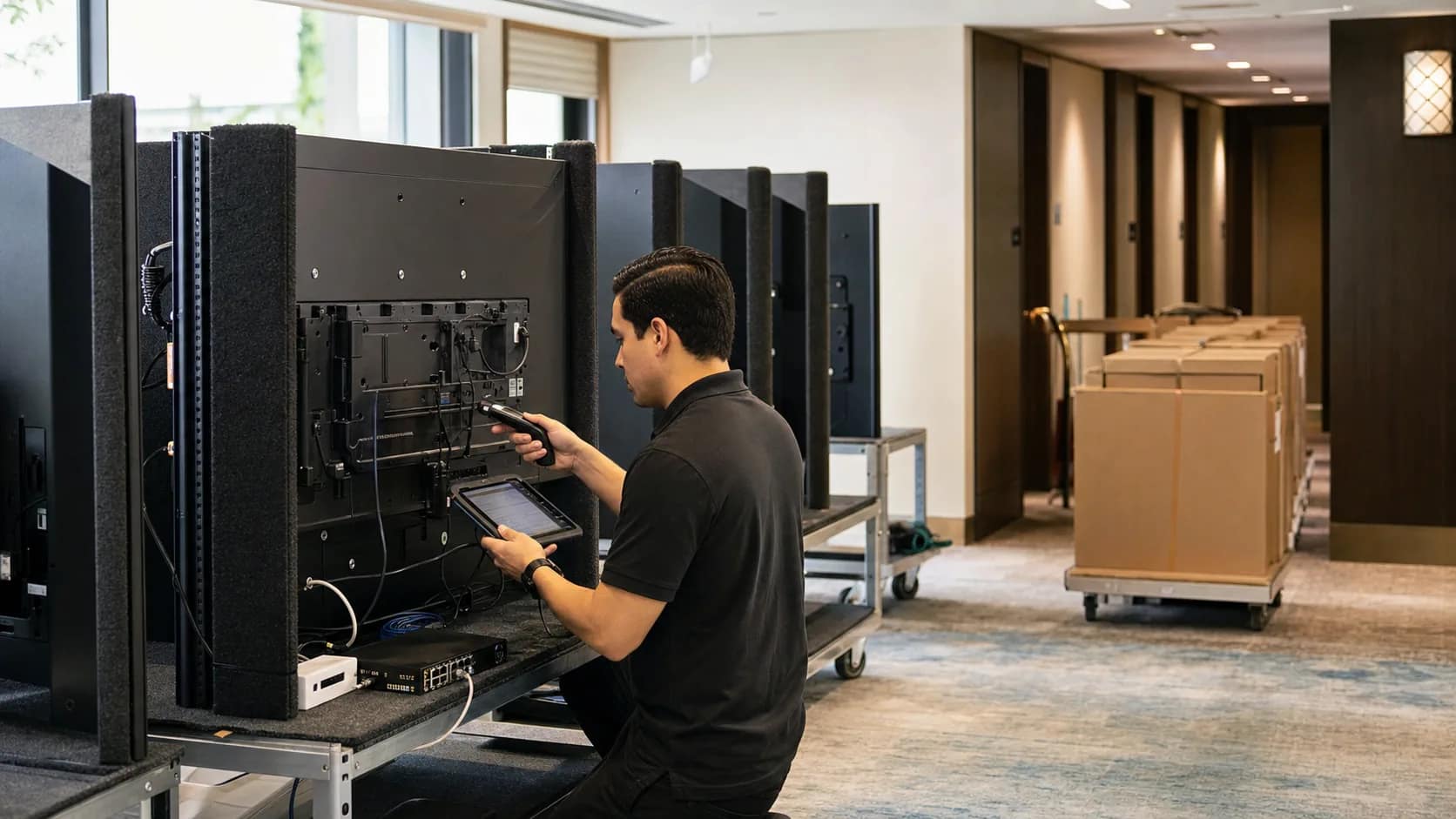
Do not treat the television order as one dock date. Build a release plan by building, floor, room type, or turnover phase. Record manufacturing lead time, model allocation, freight method, receiving hours, secure storage, damage inspection, serial-number capture, floor delivery, installation sequence, and responsibility for packaging removal.
Large early deliveries can create storage and damage problems. Late deliveries can block room commissioning. A staged release should match when rooms are secure, clean, powered, network-ready, and available for installation.
Also define the substitution process. If the specified model becomes unavailable or reaches end of life, no substitute should be accepted until brand approval, integration compatibility, mount fit, configuration, and pricing are rechecked.
Decision record: a floor-by-floor release schedule with receiving, storage, inspection, and substitution owners.
9. Compare total cost and define acceptance
Compare the full architecture across the intended ownership period. Include panels, boxes or gateways, headend equipment, licenses, content services, mounts, cabling, switching, internet dependencies, installation labor, staging, spares, remote management, warranties, field service, expected replacement cycle, and disposal.
A lower device count may reduce installation and support touchpoints. A separate endpoint may offer a different replacement path. Neither architecture is universally better. The right answer depends on the brand standard, existing infrastructure, platform roadmap, service model, and replacement horizon.
Finally, define what the owner receives at handoff: installed serial numbers by room, approved configuration, firmware baseline, warranty registration, spare inventory, licenses, administrator access, network and headend drawings, test results, open exceptions, and support contacts.
Decision record: a 5- to 10-year cost comparison and a room-by-room acceptance package.
Build and test one real pilot room
A presentation or manufacturer demonstration cannot prove the property architecture. Install one complete pilot using the proposed panel, mount, cabling, network, FTG or IPTV service, casting platform, remote, configuration, and management tools.
During the pilot, verify:
- Power-on behavior, welcome screen, channel map, picture, and sound.
- FTG or IPTV content, premium-content authorization, and local channels.
- Guest casting, room isolation, disconnect, and checkout reset.
- Remote configuration, monitoring, alerts, firmware, and support access.
- Mount fit, port access, cable concealment, ventilation, and serviceability.
- Serial-number capture, room assignment, warranty, and acceptance records.
Repeat the pilot for materially different room types or network conditions. The purpose is to turn assumptions into an approved standard before they are repeated across the property.
The owner question that keeps the project honest
Ask every bidder to answer one question:
What still has to work behind this television for the guest experience, brand requirement, and support model to function?
The answer should reveal the architecture, dependencies, recurring costs, and ownership gaps that a panel price alone cannot show.
JET Hotel Solutions helps hotel owners source and deploy hospitality-grade televisions from LG, Samsung, and Philips; coordinate FTG and OTT providers; confirm brand and infrastructure requirements; stage equipment to the construction schedule; and compare alternatives against long-term cost and support. Review JET’s Free-to-Guest TV services and project delivery process.